Redo a trend
How to Recreate a Trending Video With AI
The trend is already a finished clip. You put your people in it, and the room, the timing, and the moves stay.

Recreating a trend here means stepping into a clip people already recognize. Play the preview. If that is the video you want, with your face in it, that template is the one. Bulin 47 is the red room, one person in the middle, phones up. The trio is three people dancing the same moves in a hallway. Hotel Lobby is two people and a hanging microphone against an orange wall.

You are not filming a new version from scratch. The camera, the set, and the timing belong to the template. Your photos replace the people the slots name. One photo for the red-room clip, two for Hotel Lobby, three for the hallway. A different photo in each slot keeps them from turning into the same person.
- 01
Match the preview to the trend
Watch it once. The preview is the clip your result is trying to follow.
- 02
Add a photo for each person you are replacing
Face large, eyes visible, one person per picture. JPG, PNG, or WEBP, up to 10MB.
- 03
Start the run
10 credits. The whole clip is one generation. A failed run returns the credits.
- 04
Compare it with the preview
The set should still be there. Check the faces through the fast moves, then download and add the trend's sound inside TikTok or Reels.
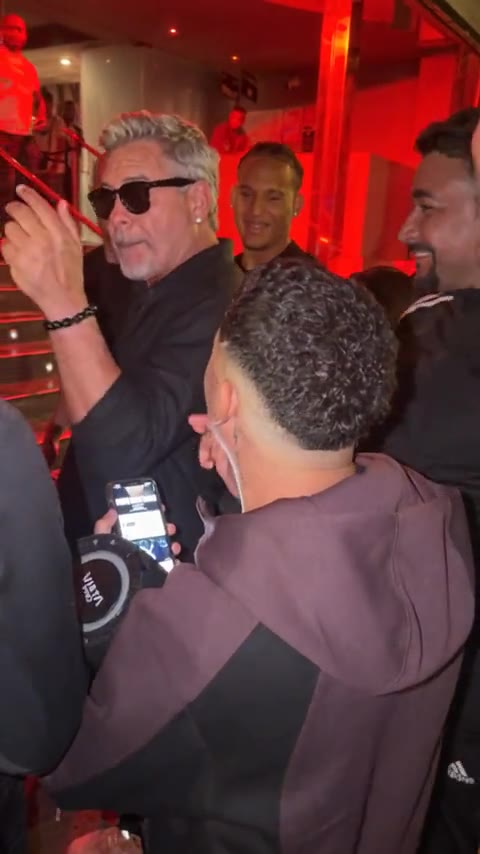
The result aims to follow the template. Hands, expressions, and framing can still differ, especially when the motion is quick. You download the file and post it yourself. The file has no soundtrack. Add the trend's sound inside TikTok when you post. On Reels, add it inside Instagram.

Templates
Pick the clip, then change the faces.
Each template is 15 seconds and uses 10 credits. A failed run returns them.
Explore templatesMore guides
All guidesGuide
How to Make AI Videos Without Writing Prompts
clipredo.comNo prompt
Read
Guide
Best Bulin 47 AI Video Generators
clipredo.comWhich clip
Read
Guide
How to Make a Bulin 47 AI Video With Your Photo
clipredo.comOne photo
Read
Guide
How to Make a Bulin 47 Trio Dance Video With Three Photos
clipredo.comThree photos
Read